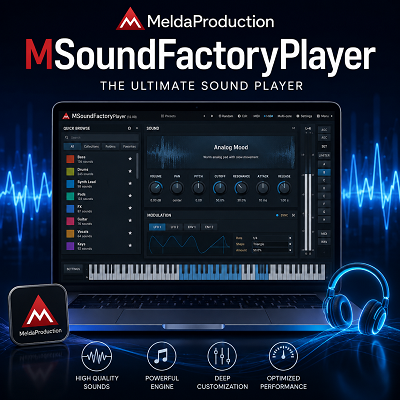
MeldaProduction MSoundFactoryPlayer
August 17, 2026
FL Studio 2026 Review: Mac & Windows
August 19, 2026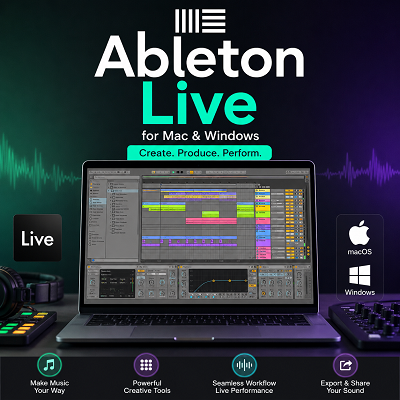
Ableton Live is a digital audio workstation (DAW) built for both music production and live performance. Unlike a traditional DAW that mainly revolves around a linear timeline, Live gives producers two different ways to work: Session View for experimenting with clips and ideas, and Arrangement View for building a finished track on a timeline. It runs on both macOS and Windows and supports hardware instruments, microphones, MIDI controllers, third-party plug-ins, audio recording, sound design, mixing, and mastering.
Live 12 is particularly interesting for composers and producers because Ableton has pushed MIDI manipulation much further. MIDI Transformations can reshape existing notes, while MIDI Generators can create new musical material. The software also adds scale-aware editing, tuning systems, sound similarity search, improved browser tagging, and instruments such as Meld.
For someone choosing a DAW today, however, the important question isn’t simply whether Ableton Live is powerful. It is. The better question is what kind of musician benefits most from its workflow, and whether Mac or Windows makes more sense for that workflow.
Review
Ableton Live is a digital audio workstation for music production, composition, recording, editing, sound design, mixing, and live performance. It is available for both macOS and Windows.
What makes Live different from many other DAWs is the way it lets me build music. I can work in Session View when I want to experiment with clips and ideas. I can then move to Arrangement View when I am ready to build the final song.
- Session View lets me develop ideas without committing to a fixed arrangement, then Arrangement View gives me a traditional timeline to finish the song.
- Live 12 Suite can separate audio into Vocals, Drums, Bass, and Others locally, without uploading the track to an external service.
- Ableton lists 8 GB RAM as the minimum, but I would target 16 GB for regular production and 32 GB or more for large sample libraries and orchestral work.
This gives me more freedom during the early stages of production. I do not have to decide the complete song structure before I have finished developing the musical idea.
The Workflow Is the Main Strength
In my experience, Ableton Live feels strongest when I use it as a creative workspace rather than just a traditional recording program.
I can create a drum loop, add a bass line, make several melody ideas, and keep them as separate clips. I can then try different combinations without duplicating the entire project.
This makes it easier to test ideas.
If one combination does not work, I can change it quickly. If another combination sounds better, I can build around it.
I find this especially useful for electronic music, beat production, sampling, sound design, and live performance.
The workflow does take some time to understand. If I come from another DAW, some controls and methods may feel unfamiliar at first. Once I understand how Session View, Arrangement View, clips, devices, and routing work together, the process becomes much more natural.
Session View Makes Live Different
Session View is one of the biggest reasons I would choose Ableton Live.
I can create different drum, bass, melody, vocal, and effects clips and trigger them in different combinations. This lets me experiment with a song before committing to a fixed arrangement.
For example, I can create three drum patterns and several bass lines. I can test them together and decide which combination works best.
I can also record the performance into Arrangement View and continue editing it there.
This makes Session View useful for more than live performance. I can use it as a songwriting and composition tool.
Arrangement View Gives Me a Traditional Timeline
Arrangement View provides the timeline-based workflow I expect from a DAW.
I can arrange verses, choruses, transitions, breakdowns, and other sections. I can edit recorded audio, add automation, adjust timing, and prepare the project for mixing.
The ability to switch between Session View and Arrangement View is one of Live’s best design choices.
I can experiment first and organize the final song later.
MIDI Tools Are More Flexible in Live 12
Live 12 adds MIDI Transformations and MIDI Generators. These tools can modify existing notes or create new musical ideas. Scale awareness also helps keep MIDI work connected to a selected scale.
I find these tools useful when I have a basic musical idea but want to create variations quickly.
For example, I can start with a simple MIDI pattern and change its rhythm, pitch, timing, or note behavior. I can then edit the result instead of accepting everything the tool creates.
That last part matters.
I would not use these tools as a replacement for composition. I use them to create possibilities and then make the musical decisions myself.
The Browser Can Save Time
Live 12 includes a tagging system for organizing sounds and devices. It also provides Sound Similarity Search and Splice integration.
I find this more useful when working with a large sound library.
If I only have a small number of samples and presets, the difference may not be noticeable. Once a library becomes large, better organization becomes much more important.
The tagging system does require some setup.
I need to organize my sounds properly before I get the full benefit from it. Once the library is organized, finding a suitable sound becomes easier.
Stem Separation Is Useful, But I Would Check the Result
Stem Separation is one of the more practical additions to recent versions of Ableton Live.
Live 12 Suite can separate audio into Vocals, Drums, Bass, and Others. Ableton processes the separation locally, so I do not need to upload the track to an external online service.
I can see several useful applications for this feature.
I can remove vocals from a reference track. I can extract drums from a sample. I can isolate vocals for editing. I can also separate parts of a finished mix and process them individually.
However, I would not treat the result as identical to professionally recorded stems.
In my analysis, the quality depends heavily on the source material. A clean recording can produce a better result than a dense mix with heavy reverb, distortion, layered instruments, and overlapping frequencies.
I would therefore use Stem Separation as a creative and editing tool. Before using the result in a final release, I would listen carefully for unwanted sounds and artifacts.
Mac Performance
Ableton Live supports both Intel Macs and Apple Silicon Macs.
The current minimum requirement is an Intel Core i5 or Apple Silicon processor with 8 GB of RAM. Ableton recommends a Core Audio compatible audio interface.
For a modern Mac setup, I would choose Apple Silicon.
It provides strong performance and works well for portable production.
I would still check plug-in compatibility before moving to a newer Mac or macOS version. The DAW may work correctly while an older third-party plug-in or audio interface driver causes problems.
That is an important part of building a reliable music-production system.
Windows Performance
Live 12 supports Windows 10 version 22H2 and Windows 11 version 22H2 or later. The minimum processor requirement is a fifth-generation Intel Core i5 or an AMD Ryzen processor with AVX2 support. Ableton recommends ASIO-compatible audio hardware for audio production.
Windows gives me more hardware options.
I can build a desktop around a powerful processor, add more RAM later, install larger SSDs, and choose hardware based on my production needs.
The trade-off is that there are more system variables to manage.
Audio drivers, power settings, USB devices, plug-ins, and interface software can all affect a music-production setup.
For that reason, I would not judge a Windows Ableton system only by its processor specifications. The complete setup matters.
How Much RAM Does Ableton Live Need?
Ableton lists 8 GB RAM as the minimum.
For regular music production, I would target 16 GB.
For large sample libraries, orchestral templates, and heavy projects, I would choose 32 GB or more.
Ableton also recommends 16 GB for typical production and 32 GB or more for large projects using extensive sample libraries.
RAM becomes particularly important when using sample-based instruments because large libraries can use a significant amount of memory.
SSD Storage Is Important
I would also use an SSD for an Ableton system.
Fast storage helps with loading projects, instruments, samples, and large sound libraries. Ableton recommends SSD storage for Live and music-production workflows.
The amount of storage depends on the type of music I make.
A producer working with a few sample packs may be fine with a smaller SSD. A composer using large orchestral libraries can need hundreds of gigabytes or more.
For large libraries, a fast external SSD can also be useful.
VST Plug-in Support
Ableton Live works well for producers who depend on VST plug-ins.
On Windows, Live supports VST2 and VST3.
On macOS, it supports VST2, VST3, and Audio Units.
Before changing operating systems, I would check every important plug-in in my collection.
I would also check my audio interface and its drivers.
This is especially important when moving to Apple Silicon or a newer macOS release. An older plug-in can cause compatibility problems even when Ableton Live itself is working correctly.
Live 12 Has Strong Built-In Instruments
Ableton Live includes a useful collection of instruments and effects.
Wavetable is designed for wavetable synthesis.
Meld provides another flexible synthesis option.
Roar is useful for saturation, distortion, and sound shaping.
Granulator III focuses on granular synthesis and experimental textures.
I like having these tools inside the DAW because they reduce the need to buy third-party instruments immediately.
A new producer can build a complete track with the included tools and add VST plug-ins later when there is a specific need. If you want to see what else is out there before buying anything, our roundup of free synth plugins covers several options worth pairing with Wavetable and Meld, and MeldaProduction’s MSoundFactoryPlayer is a solid free way to add a sampled instrument to the same template.
Max for Live Extends the Software
Max for Live adds another layer to Ableton Live.
It lets me use custom instruments, effects, MIDI devices, and other tools.
For a beginner, this may not be important at first.
For an advanced producer, it can become much more useful.
I can use existing Max for Live devices or create custom tools for a particular workflow.
This makes the Live ecosystem much larger than the standard list of built-in instruments and effects.
Is Ableton Live Easy to Learn?
I would describe Ableton Live as different rather than difficult.
The first few sessions can feel unusual if I am coming from another DAW.
The interface has its own logic. Session View works differently from a normal timeline. Devices, clips, routing, and automation also have their own workflow.
Once I understand those concepts, the software becomes much easier to use.
The learning curve is therefore something I would consider before switching from another DAW.
If I already work quickly in another DAW, moving to Live will require time. I would not switch simply because Live is popular.
I would switch because its workflow solves a problem in my own production process.
What I Would Improve
Ableton Live is powerful, but I still find several areas that could be better.
The first is traditional MIDI editing.
I like the MIDI Transformations and Generators in Live 12 because they make experimentation fast. However, when I want very detailed control over individual MIDI events, I find the workflow less direct than I would prefer.
For complex composition work, I want quick access to every note, velocity, timing value, and controller event.
The Browser is another area I would improve.
The tagging system can be useful, especially when I have a large sample collection. However, I would prefer a faster and more predictable way to search for instruments, effects, presets, and third-party plug-ins.
I would also improve the device and mixer workflow.
Ableton’s interface is clean, but I sometimes want more information visible at the same time. When I work on a large project, moving between the device area, mixer controls, Arrangement View, and other sections can interrupt my workflow.
Stem Separation is another feature I would treat with some caution.
I find it useful for sampling, remixing, and extracting material from finished tracks. However, I would always listen carefully to the separated audio before using it in a final production.
Complex mixes can produce unwanted sounds or artifacts. I would not treat generated stems as identical to professionally recorded individual stems.
I would also like more predictable plug-in troubleshooting.
Ableton Live may run well while one third-party instrument or effect creates a problem. When that happens, finding the exact cause can take time.
A clearer way to identify the plug-in or processing chain responsible would make troubleshooting easier.
Finally, I think the learning curve could be smoother for new users.
Live gives me a lot of freedom, but that freedom also means there are many workflows to learn.
A beginner can know exactly what they want to achieve but still not know the fastest Ableton-specific way to do it.
These points do not make Ableton Live a poor DAW.
They are simply the areas I would improve to make the software faster and easier to use.
Features
- Session View: Create and trigger audio and MIDI clips without fixing the final arrangement.
- Arrangement View: Build a complete song on a traditional timeline.
- MIDI Transformations: Modify existing MIDI notes and create variations.
- MIDI Generators: Generate new MIDI ideas and patterns.
- Scale Awareness: Keep MIDI work connected to a selected scale.
- Audio Recording: Record vocals, instruments, microphones, and external hardware.
- Audio Editing: Cut, move, stretch, process, and arrange audio.
- Warping: Change the timing of audio while keeping it connected to the project tempo.
- Stem Separation: Separate vocals, drums, bass, and other material in Live 12 Suite.
- Splice Integration: Search and audition Splice sounds from the Live Browser.
- Sound Similarity Search: Find sounds similar to an existing reference.
- Browser Tags: Organize sounds and devices with custom tags.
- Wavetable: Create wavetable-based synthesizer sounds.
- Meld: Create layered and evolving synth sounds.
- Roar: Add saturation, distortion, and sound shaping.
- Granulator III: Create granular textures and instruments.
- Max for Live: Use custom instruments, effects, and MIDI devices.
- MPE: Work with expressive MIDI controllers.
- Alternative Tunings: Use tuning systems beyond standard equal temperament.
- Automation: Control parameters over time.
- Hardware Integration: Connect MIDI controllers, synthesizers, drum machines, and audio interfaces.
- Ableton Link: Synchronize compatible music applications and hardware.
- VST Support: Use VST2 and VST3 plug-ins on Windows.
- macOS Plug-in Support: Use VST2, VST3, and Audio Units on macOS.
- Apple Silicon Support: Run Live on modern Apple Silicon Macs.
- Windows Support: Run Live on supported Windows systems.
Conclusion
Ableton Live is a strong choice for producers and composers who want to build music through experimentation.
The main reason I would choose it is the workflow.
Session View lets me develop ideas without deciding the final structure. Arrangement View then gives me the timeline I need to turn those ideas into a finished track.
Live 12 also adds useful tools for MIDI creation, sound search, sampling, stem separation, and sound design.
I find the MIDI tools useful when I want to create variations quickly. I find the Browser more valuable as my sample library grows. Stem Separation is useful for sampling and remix work, although I would always check the separated audio before using it professionally.
For hardware, I would target at least 16 GB RAM for regular production. For large sample libraries and orchestral work, I would choose 32 GB or more. These targets also match Ableton’s current recommendations.
For Mac, I would choose a modern Apple Silicon system.
For Windows, I would focus on a strong processor, enough RAM, SSD storage, and a reliable ASIO audio interface.
The final choice comes down to workflow.
If I think in clips, loops, samples, MIDI patterns, scenes, and live arrangements, Ableton Live fits that way of working very well.
If I prefer a traditional timeline and detailed conventional MIDI editing, another DAW may feel more natural.
For music producers, composers, editors, and VST users who want a flexible production and performance environment, Ableton Live remains a serious DAW that can support both simple projects and advanced production workflows.
Try Ableton Live Free
Download the free 90-day trial and test Session View, Arrangement View, and Live 12’s instruments on your own projects.