
7 Best Free VST Plugins 2026
August 19, 2026
Waves Ultimate 17 for Mac & Windows
August 21, 2026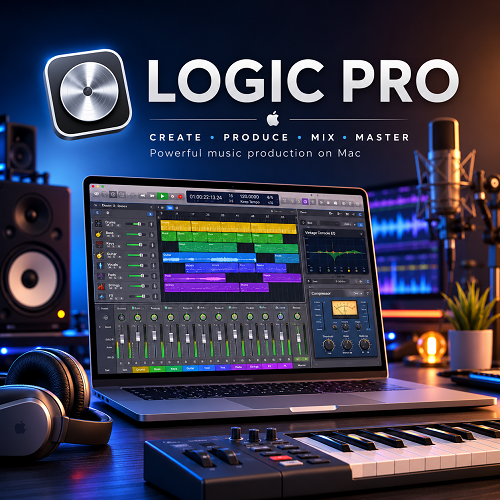
Logic Pro is Apple’s digital audio workstation for Mac. I use it as an all-in-one environment for recording, songwriting, MIDI production, sound design, mixing, mastering, and composition.
What makes Logic Pro interesting is not simply the number of features. It is how much work I can complete without leaving the DAW. I can record vocals, edit takes, build drums, load a synth, arrange MIDI, process guitars, automate effects, mix the project, and prepare the final output in the same session.
The current Mac version is Logic Pro 12.3.1. Apple lists 6 GB of available storage for the application, while the complete Sound Library needs considerably more space. The US Mac App Store lists Logic Pro at $199.99 as a one-time purchase.
- Logic Pro uses Audio Units, not VST or VST3, as its native plugin format. This matters more than any single feature for VST-heavy producers considering the switch.
- Alchemy, Sample Alchemy, Beat Breaker, and Stem Splitter give Logic a genuinely deep sound-design toolkit without needing third-party plugins right away.
- CPU behavior varies wildly by workload, not just hardware, so I would test my actual production template before choosing a Mac.
My main caution is the platform. Logic Pro is designed for Apple’s ecosystem. It is also important to understand its plugin system before buying third-party VSTs. Logic uses Audio Units rather than VST or VST3 as its native plugin format.
For a Mac-based producer or composer, that tradeoff can make sense. For a Windows user or someone whose workflow depends heavily on VST3 plugins, it can become a deciding factor.
Review
Logic Pro Gives Me a Complete Production Workflow
The biggest strength I see in Logic Pro is the complete workflow.
I don’t need one application for recording, another for MIDI, and another for mixing. I can keep the entire production inside one project.
A typical project can contain audio recordings, MIDI instruments, drum patterns, samples, buses, automation, effects, and software instruments. Logic also gives me tools for editing and mixing those elements without requiring additional software.
This becomes especially useful when I work across different types of music.
I can start with a piano recording, add MIDI strings, build a drum arrangement, record vocals, edit the takes, process the vocal, and finish the mix without changing DAWs.
That flexibility is one of the strongest reasons I would choose Logic Pro.
The Included Sounds Reduce My Need for Third-Party Plugins
Logic Pro’s built-in content is one of its biggest practical advantages.
I get software instruments, drum sounds, samples, loops, presets, and effects without having to build a large plugin collection immediately.
That matters because plugin shopping can become a distraction from production.
I can spend weeks comparing synthesizers and compressors without actually finishing a track. Logic gives me enough stock tools to avoid that problem.
I would start with the included instruments and effects and only buy another plugin when I can clearly explain what the stock tools are missing.
That approach is also supported by the current user feedback I found. The strongest recurring positive point is the amount of production work that can be done with Logic’s stock tools alone.
Alchemy Is One of My Favorite Parts of Logic
Alchemy is a major reason I consider Logic more than a basic recording DAW.
It combines synthesis and sample-based sound design. I can use it for basses, leads, pads, textures, keys, effects, and cinematic sounds.
The important part is that I am not limited to browsing presets.
I can start with a preset and then work deeper into synthesis, modulation, filters, effects, and sample manipulation.
Recent Logic updates have also expanded Alchemy’s granular capabilities. Apple added granular sync to Alchemy and Sample Alchemy in Logic Pro 12.3.
For electronic production, this gives me a serious sound-design instrument without requiring another synthesizer plugin.
For composers, I find it useful for evolving textures, transitions, atmospheric layers, and unusual sound sources.
Recording Vocals Is Another Strong Area
Logic Pro works well when I move from production into recording.
I can record multiple takes and use Quick Swipe Comping to build a final performance. Flex Time lets me correct timing, while Flex Pitch gives me detailed control over pitch.
This is useful for vocal production because I don’t need one perfect take.
I can record several performances and keep the strongest phrases.
I also like the fact that the recording tools sit inside the same project as my MIDI and instrument tracks. I don’t have to move the vocal into another application just because the recording stage is finished.
Flex Time and Flex Pitch Need a Light Touch
I find Flex Time and Flex Pitch most useful when they correct small problems.
If a vocal is slightly late, I can move it into place.
If a note is slightly sharp or flat, I can correct it.
The important part is knowing when to stop.
Heavy pitch or timing correction can change the character of a recording. I would rather start with a good performance and use editing as a correction tool than try to repair a poor recording completely.
That distinction matters when judging Logic’s editing capabilities.
Quick Sampler Is Practical for Producers
Quick Sampler is one of the tools I would recommend learning early.
I can take an audio file and turn it into an instrument. That makes it useful for drums, vocals, one-shot sounds, field recordings, bass sounds, and short musical phrases.
I don’t need to open a separate sampler just to play a sound chromatically.
This is especially useful for producers who work with their own samples.
Instead of searching through thousands of presets, I can record or find a sound and immediately turn it into something playable.
Sample Alchemy Goes Further With Sound Design
Sample Alchemy is aimed more directly at transforming samples.
I can take recorded material and use it as the foundation for a new instrument.
This changes the way I think about sampling.
I don’t have to treat a sample as a fixed audio loop. I can use it as raw material and build a playable sound around it.
That is useful for cinematic textures, experimental music, electronic production, and sound design.
Beat Breaker Is Useful for Changing Loops
Beat Breaker is one of the features I find more interesting for electronic production.
It lets me manipulate audio slices rather than simply playing a loop from beginning to end.
I can change the rhythm, pitch, filtering, panning, and other characteristics of individual slices.
The current version also adds more control over filter, resonance, pan, and randomization.
This gives me a practical way to take a familiar loop and create something different from it.
A drum loop can become a new rhythmic pattern.
A vocal phrase can become a chopped texture.
A percussion recording can become a transition.
I see Beat Breaker as a sound-design tool rather than just another loop editor.
Stem Splitter Has Real Production Value
Stem Splitter is useful when I don’t have access to the original multitrack files.
I can separate a mixed recording into parts such as vocals, drums, bass, guitar, piano, and other material.
This can help with remixing, sample preparation, arrangement study, and extracting useful material from older recordings.
I would not treat the result as equivalent to professionally recorded stems.
The separation process can produce artifacts, especially when several instruments occupy the same frequency range.
Still, having this function directly inside Logic saves time.
Flashback Capture Solves a Common Recording Problem
Flashback Capture is one of the features I consider genuinely practical.
Sometimes I play an idea while Logic is running but forget to record it.
That can be frustrating when the performance turns out to be better than expected.
Flashback Capture can recover those recent MIDI or audio performances. Apple added the feature specifically for recovering performances that happened before recording was triggered.
For improvisation, this is extremely useful.
I can experiment without constantly worrying about whether I pressed Record at the right moment.
Session Players Are Better as Creative Assistants
Logic’s Session Players can generate supporting musical parts.
The current system includes players for areas such as bass, keyboard, synthesizer, acoustic drums, electronic drums, and percussion.
I would not use them as a replacement for a real musician.
I see them as a way to generate an arrangement idea.
For example, I can build a chord progression and use a Session Player to create a supporting bass or keyboard part. I can then edit the result.
This is useful when I know what the song needs but don’t immediately know how to write the part.
Chord ID Can Help With Composition
Chord ID is another feature that has a practical use.
I can use it to analyze musical material and identify chords.
This is helpful when I record a progression quickly and want to understand the harmony afterward.
It can also help when building arrangements around existing musical material.
Apple has improved chord recognition for extended chords, inversions, guitar recordings, and other more difficult cases.
I would still check the result manually.
Chord recognition is an analysis tool. My ears should make the final decision.
Logic Pro Works Well for Composers
For composition, Logic gives me several important tools in one place.
I get MIDI editing, software instruments, automation, tempo changes, audio recording, notation, and video support.
That makes Logic suitable for songwriting as well as music-to-picture work.
There is one area I would consider carefully.
If my workflow depends heavily on advanced orchestral notation and printed scores, I would compare Logic with Cubase and dedicated notation software before committing to one DAW.
For songwriting and general composition, Logic is strong.
For a large scoring workflow that constantly moves between DAW production and detailed notation, the best choice depends on how much notation work I actually do.
Logic’s Workflow Is Not Perfect
I don’t think Logic’s biggest weakness is sound quality.
The bigger issue is workflow.
Some operations feel less direct to me than they do in Ableton Live or Bitwig Studio.
This becomes more noticeable when I move into experimental sound design or heavy modulation.
Ableton and Bitwig are built around different ideas. Their device and modulation systems can feel more immediate when I want to experiment with parameters.
Logic gives me a broader traditional production environment.
That makes the comparison less about which DAW is better and more about which workflow removes the most friction from my work.
Logic Can Feel Overwhelming at First
The large feature set has another side.
There is a lot to learn.
A beginner can record an audio track within minutes. That does not mean the entire application is easy to master.
Once I move into buses, automation, MIDI processing, track stacks, advanced editing, routing, software instruments, and project organization, the learning curve becomes much steeper.
I would not try to learn every Logic feature before making music.
I would learn it through real projects.
Record a song.
Edit it.
Arrange it.
Mix it.
Then learn the advanced features that solve problems I actually encounter.
That approach makes Logic much easier to understand.
CPU Performance Needs a More Careful Explanation
I would not describe Logic as either “lightweight” or “CPU heavy.”
Real-world performance varies too much.
Current 2026 reports show very different results on Apple silicon Macs. A 16 GB M2 MacBook Pro can produce overload warnings in a 15 to 20-track project with instruments such as Alchemy and effects such as ChromaVerb. At the same time, an M2 Pro Mac mini with 16 GB memory can handle roughly 40 to 60 tracks with mostly native plugins in another workflow.
I take that difference seriously because it shows why track count is not a useful benchmark by itself.
Plugin type matters.
Buffer size matters.
Sample rate matters.
Software instruments matter.
Oversampling matters.
Bus processing matters.
The way Logic distributes processing also matters.
I would therefore test my actual production template before deciding what Mac hardware I need.
Large Projects Can Still Become Difficult
Large projects are where I would pay more attention.
I found current reports of 80-plus-track projects becoming sluggish when using plugins that add significant processing or latency. Other reports involve 100 to 150-track sessions where freezing tracks becomes part of the workflow.
That doesn’t mean Logic cannot handle large sessions.
It means that a large session needs sensible project management.
I would freeze or bounce demanding instruments when necessary.
I would raise the I/O buffer when recording is no longer the priority.
I would avoid putting expensive processing on every track when a bus can do the job.
I would also check third-party plugins individually if a project suddenly becomes unstable.
My Mac Hardware Advice Is Based on Workload
I would not choose a Mac for Logic based only on the processor name.
My first question would be how I produce music.
A songwriter recording 20 to 30 audio tracks has different needs from a film composer running large Kontakt libraries.
A producer using mostly audio has different needs from someone running dozens of software instruments.
A recent M4 Max Logic workflow showed how much headroom a high-end system can provide for heavy mixing and mastering. On the other side, current reports from M3 and M2 systems show that demanding plugin chains can still create overload or latency problems.
For that reason, I would prioritize RAM and the actual plugin workload rather than assuming the most expensive CPU is automatically necessary.
Plugin Compatibility Is Critical for VST Users
This is probably the most important point for the VST audience.
Logic Pro does not use VST or VST3 as its native plugin format.
I need to check for an Audio Unit version before installing a third-party plugin.
A plugin can be available for macOS and still not work in Logic.
If a developer provides only VST3, I cannot simply install that version and expect Logic to recognize it.
I would check these points before buying:
- Audio Unit support.
- macOS version support.
- Apple silicon support.
- Logic Pro compatibility.
- Plugin version.
- Compatibility with the specific Mac architecture I use.
This can prevent an expensive mistake.
Third-Party Plugins Can Change Performance
I also would not judge Logic’s performance separately from the plugins running inside it.
Some plugins are much more demanding than others.
Current production discussions show examples of heavy sessions struggling around 70 tracks on an M1 Max system, while other M2 Pro systems handle 50 to 100 tracks depending on the project.
That difference tells me something important.
The number of tracks is not enough information.
If I use demanding mastering plugins, oversampling, linear-phase processing, heavy reverbs, virtual instruments, and complex sidechains, I can hit limits much earlier.
If I use simple audio tracks and efficient plugins, the same computer can handle much more.
Logic Does Not Make Me Buy Plugins Immediately
This is one of the reasons I like Logic for new producers.
I can make a complete production using the included tools.
I get EQ.
I get compression.
I get reverb.
I get delay.
I get modulation.
I get distortion.
I get samplers.
I get synthesizers.
I get drum instruments.
I get mastering tools.
I get a large sound library.
That gives me enough time to learn what I actually need.
When I eventually buy a third-party plugin, I can buy it for a specific reason instead of building a random collection. When I do go looking, our free VST plugins roundup is a solid first stop, though I’d double check each one ships an Audio Unit build before installing it in Logic.
The Mac Requirement Changes the Real Cost
The $199.99 Logic price looks attractive, but I would not evaluate the cost in isolation.
If I already own a compatible Mac, the calculation is simple.
If I need to buy a Mac specifically for Logic, the total investment becomes much higher.
This is where Windows-based DAWs become more attractive.
I can use Ableton Live, Cubase, FL Studio, REAPER, or Bitwig Studio on Windows and avoid buying into Apple’s hardware ecosystem.
Logic makes the most financial sense to me when the Mac is already part of my setup.
Logic Pro Updates Need Some Care
Logic is actively updated.
The 12.3.1 update includes fixes related to Beat Mapping, Score, crossfades, cursor tools, mixer behavior, MIDI and video playback, Chord Track stability, and projects containing many regions.
I would still avoid installing a major DAW update immediately before an important delivery.
My workflow would be simple.
Back up the project.
Keep a working copy of the previous version.
Check important third-party plugins.
Open a copy of my largest projects.
Then update the main system.
That small step can save a lot of trouble.
My Overall Experience With Logic’s Strengths
When I look at Logic as a complete production system, its strongest areas are clear.
I get a lot of useful stock content.
I can record and produce in the same environment.
The MIDI tools are strong.
The built-in instruments are capable.
The sampling tools are useful.
The current AI-assisted features have practical uses when I treat them as creative tools rather than replacements for musical judgment.
The App Store rating currently sits at 4.5 out of 5 from about 6,000 ratings on the US iPad/Mac-capable listing, which gives some useful context around its broad appeal. I don’t treat that rating as proof of professional quality. It simply supports what I see elsewhere: Logic has a large base of users who find the overall package valuable.
My Overall Experience With Logic’s Weaknesses
The weaknesses are also clear.
I would watch CPU behavior on demanding sessions.
I would check every important third-party plugin before buying it.
I would expect a learning curve.
I would compare Logic with Ableton or Bitwig if experimental modulation is central to my work.
I would compare it with Cubase if advanced scoring and notation are central to my work.
I would also remember that Logic is not a Windows DAW.
Those limitations don’t make Logic weak.
They define the type of producer it suits best.
Features
- Professional audio recording.
- MIDI recording and editing.
- Piano Roll editor.
- Score Editor.
- Quick Swipe Comping.
- Flex Time.
- Flex Pitch.
- Smart Tempo.
- Live Loops.
- Step Sequencer.
- Drum Machine Designer.
- Quick Sampler.
- Sampler.
- Sample Alchemy.
- Alchemy synthesizer.
- Beat Breaker.
- Stem Splitter.
- Flashback Capture.
- Chord ID.
- AI Session Players.
- Synth Player.
- Bass Player.
- Keyboard Player.
- Acoustic Drummer.
- Electronic Drummer.
- Percussionist.
- Mastering Assistant.
- Audio automation.
- MIDI automation.
- Built-in EQ and dynamics processors.
- Built-in reverbs and delays.
- Large Sound Library.
- Third-party Audio Unit support.
- AUv2 and AUv3 support.
- Video scoring.
- Spatial Audio production.
- Dolby Atmos workflows.
- External MIDI controller support.
- Audio interface support.
- Logic Remote.
- Apple silicon support.
- Mac and iPad project compatibility.
Alternatives
Ableton Live
I would choose Ableton Live when clip-based production, live performance, and fast experimentation are more important to me than a traditional recording workflow.
Ableton’s Session View is excellent for building ideas from clips.
I also find Ableton’s device and modulation approach attractive for electronic sound design. Our full Ableton Live review covers that workflow in more detail if you’re weighing the two side by side.
Logic is the better choice for me when recording, songwriting, traditional arrangement, and a large stock library are the main priorities.
Cubase
I would look closely at Cubase if I were primarily a composer.
Cubase has strong MIDI tools and a mature scoring workflow. It also works on Windows and Mac.
The choice becomes even more interesting when notation is an important part of the production process.
If I mainly write songs and produce music, Logic is enough.
If I regularly move between detailed orchestral composition and notation, I would give Cubase serious consideration.
FL Studio
FL Studio is a strong alternative for beat production.
Its pattern-based workflow is particularly useful for drums, electronic music, and loop-heavy production.
It also gives me broad VST plugin compatibility and works on Windows and Mac. Our FL Studio review covers that plugin support and the Mac-versus-Windows question in more depth if that’s a factor for you.
I would choose FL Studio over Logic if my workflow is heavily based around its Piano Roll, patterns, and VST ecosystem.
REAPER
REAPER makes more sense to me when customization is the priority.
It is highly configurable and works across Windows, macOS, and Linux.
It can be an excellent choice for experienced users who want to build their own workflow.
Logic is easier for me when I want a large set of instruments, sounds, and production tools ready from the beginning.
Bitwig Studio
I would consider Bitwig when sound design and modulation are central to my work.
Its modulation system is one of its strongest attractions.
If I spend most of my time building unusual instruments, evolving textures, and heavily modulated effects chains, Bitwig can provide a more suitable environment.
Logic is more attractive when I want a broad recording, composition, and mixing workstation.
Conclusion
Logic Pro is one of the strongest all-round DAWs for Mac.
What I like most is not one individual feature.
It is the complete workflow.
I can record a vocal, edit it, build MIDI parts, create drums, sample audio, design sounds, arrange the song, mix it, and finish the project without leaving the DAW.
The stock content is another major advantage.
I don’t need a large collection of third-party plugins to start producing serious music. Alchemy, Sampler, Sample Alchemy, Drum Machine Designer, Beat Breaker, the built-in effects, and the Sound Library give me a strong starting point.
The newer features also have practical uses. Stem Splitter can help with audio separation. Flashback Capture can recover an idea I forgot to record. Chord ID can help analyze harmony. Session Players can help fill an arrangement. Beat Breaker and the newer Alchemy tools give me more options for sound design.
I would not call Logic perfect.
CPU behavior can become an issue in demanding projects. Plugin optimization matters. Large sessions may require freezing or bouncing. The workflow is not as flexible as Bitwig for some types of modulation. Ableton can feel faster for clip-based production. Cubase can make more sense for advanced composition and notation.
The VST issue is also important.
If I rely heavily on VST3 plugins, I need to check for Audio Unit support before moving to Logic.
For a Mac-based producer, composer, or audio editor, though, Logic Pro is a very strong choice.
Choose Logic Pro if you want one Mac-based DAW that can handle recording, songwriting, MIDI production, sampling, sound design, mixing, and composition without forcing you to build a large plugin collection first. If your priority is Windows support, VST-heavy production, live clip performance, or deep experimental modulation, look at Ableton Live, Cubase, FL Studio, REAPER, or Bitwig Studio instead.
Try Logic Pro
Logic Pro is available as a one-time purchase for Mac, with a free trial period through the Mac App Store.
Get Logic Pro on the Mac App Store