Chandler Limited® Curve Bender Mastering EQ for Mac & Windows
August 22, 2026Baby Audio Smooth Operator Pro For Windows & Mac
August 23, 2026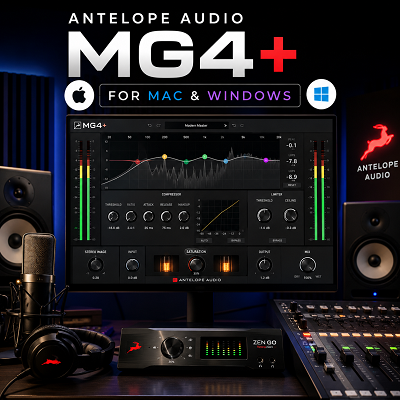
Antelope Audio MG4+ is a six-band EQ plugin for Mac and Windows. It is designed for producers, composers, mixing engineers, and audio editors who want quick control over the tone of a track.
The plugin includes Sub, 40 Hz, 160 Hz, 650 Hz, and 2.5 kHz controls. It also has a Sky Band with a separate Sky Gain control. Antelope describes MG4+ as a software emulation of a well-known Series 500 EQ design.
What makes MG4+ interesting is its simple layout. It does not try to give you every EQ control available in modern software. Instead, it focuses on a small number of useful frequency areas.
I would describe it as a tone-shaping EQ rather than a detailed repair EQ. MG4+ makes sense when I want more weight, presence, or air. If I need to remove a narrow resonance at an exact frequency, I would use a more precise EQ.
Review
A Straightforward Workflow
The first thing I like about MG4+ is its straightforward workflow. There are not many controls to learn. I can load the plugin, look at the source, and start making a tonal decision without building a complicated EQ curve.
| Band | What It’s Good For |
|---|---|
| Sub | Deep low-end weight on kick, bass, and full mixes |
| 40 Hz | Low-end weight and reduction of excess low end |
| 160 Hz | Body and warmth on vocals, guitars, and piano |
| 650 Hz | Reducing boxiness or adjusting instrument body |
| 2.5 kHz | Clarity and presence in a busy arrangement |
| Sky Band + Sky Gain | High-frequency gloss, sheen, and openness |
The Sub and 40 Hz controls cover the low end. I find these useful when a kick, bass, or full mix needs more weight. They are also useful when the low end feels excessive and needs to be reduced.
The 160 Hz control moves into the area that affects body and warmth. I pay close attention to this range on vocals, guitars, piano, and other instruments. Too much energy here can make a recording feel heavy. Too little can make it sound weak.
The 650 Hz control is useful for the lower midrange. I use this area when a source needs a little less boxiness or when an instrument needs a change in body.
The 2.5 kHz control works higher in the midrange. This is one of the more useful areas when a vocal or instrument needs to speak more clearly in a busy arrangement.
The Sky Band Gives MG4+ Its Identity
The Sky Band is the feature that gives MG4+ its identity.
Antelope designed it to add high-frequency gloss and sheen. The company also added Sky Gain to give the section more control.
This is the section I would reach for when a vocal sounds closed but does not need a large conventional high-shelf boost. A small change can make a vocal feel more open. The same approach can work on acoustic guitar, piano, strings, overheads, and some synth sounds.
I would not use the Sky Band as a permanent brightness switch, though.
When I add high frequencies, I listen for more than brightness. I also check sibilance, breath sounds, microphone noise, cymbals, and harsh consonants. A boost that sounds impressive on a solo vocal can become tiring once the full arrangement starts playing.
That is why small changes work better here.
Linear-Phase Processing
MG4+ also uses linear-phase processing. Antelope says this design is intended to preserve the processed audio without phase-shifting artifacts.
I would not choose the plugin simply because it uses linear-phase processing. The result matters more than the specification. There are situations where a different EQ design may be a better choice.
The more important point is how the EQ behaves as a practical mixing tool.
MG4+ gives me broad frequency controls rather than a long list of adjustable points. That can actually make mixing faster.
If a vocal needs more presence, I can work around 2.5 kHz. If an acoustic guitar needs more body, I can work around 160 Hz. If a bass needs more weight, I can start with the Sub or 40 Hz control. If a mix needs more openness, I can try the Sky Band.
The decision is quick.
The Biggest Limitation
This also creates the biggest limitation.
MG4+ is not designed for detailed frequency repair.
If I hear a narrow resonance at 3.7 kHz, I would not use MG4+ as my first choice. I want an EQ that lets me select the exact frequency and control the width of the cut.
The same applies to a kick with a problem around 63 Hz. MG4+ can change the general low-end balance, but it does not give me the same level of control as a full parametric EQ.
Use MG4+ to shape the sound. Use a precision EQ to fix the sound.
That division makes the plugin much easier to understand.
How MG4+ Relates to the MÄAG EQ4
The MÄAG connection is also worth mentioning. MG4+ follows the same general design idea as the MÄAG EQ4, especially in its use of a dedicated high-frequency Air or Sky section. Antelope calls its version the Sky Band and adds Sky Gain. Antelope describes MG4+ as a software emulation rather than the original hardware product.
I would not call the two products identical without a controlled measurement test.
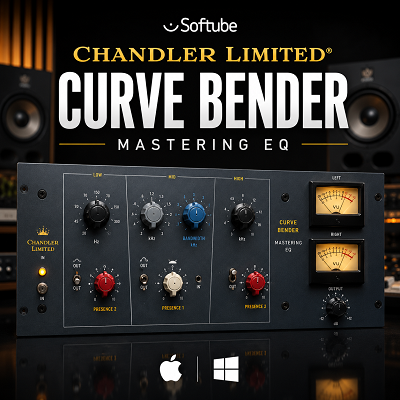
The practical similarity is clear, though. Both products are built around broad tone shaping and a dedicated high-frequency section. If you want to see how a different fixed-frequency, character-first EQ handles the same “shape, don’t fix” philosophy, our review of the Chandler Limited Curve Bender covers a similar approach built around broad tonal moves rather than exact correction.
Fine Gain Control and Practical Use
One detail I find useful is the fine gain adjustment. The controls allow small changes, which fits the way I prefer to use this type of EQ. I rarely need a huge boost from a tone-shaping EQ. A small move is often enough.
This also makes MG4+ useful on distorted guitars.
When I work with a guitar that already has plenty of midrange, I can make a small presence change and then check the guitar against the drums and bass. The goal is not to make the guitar sound impressive by itself. The goal is to make it sit correctly in the arrangement.
The same approach works on vocals.
I would first remove obvious problems with a suitable corrective EQ if needed. Then I can use MG4+ for the broader tonal change.
That workflow is more practical than trying to make MG4+ perform every EQ task.
On Acoustic Instruments, Drums, and Bass
I also find it useful on acoustic instruments.
An acoustic guitar can become too thick in the low mids. A small adjustment around 160 Hz can help. If it then needs more presence, the 2.5 kHz control gives me a simple starting point. The Sky Band can be used afterward if the recording still needs more openness.
The plugin can also work on drums.
The low-frequency controls can change the weight of a kick. The 2.5 kHz section can help with attack and presence. But I would switch to a detailed EQ if the drum recording has one specific resonance that needs to be removed.
Bass is similar.
MG4+ can change the broad character of the bass. It can make the low end feel heavier or lighter. But it is not the tool I would choose to solve a complicated kick and bass frequency conflict.
On the Mix Bus
The mix bus is another possible use.
I prefer very small EQ changes on the mix bus. A little high-end lift can change the entire balance of a song. If I push the Sky Band too far, the mix can become brighter than intended.
I always judge that type of change inside the complete song.
This is an important part of using MG4+. The plugin can make a source sound more exciting in solo. That does not automatically mean the mix is better.
Native Operation, System Requirements, and Licensing
The native version is another advantage.
Antelope states that MG4+ runs directly inside a DAW on macOS or Windows. It can also run in real time on compatible Synergy Core hardware.
An Antelope interface is not required for the Native version. That makes MG4+ easier to consider if I only want the plugin and do not use Antelope hardware.
Installation does require the Antelope Launcher and iLok authorization. Antelope’s support documentation says the MG4+ license is assigned to the user’s iLok account after the claim process. A physical iLok USB dongle is not required. This is worth knowing before installation because the licensing process is separate from simply downloading a plugin file.
| Requirement | Details |
|---|---|
| macOS | 10.14 Mojave and later, with compatibility extending through macOS Sequoia |
| Windows | 64-bit Windows 10 and Windows 11 |
| RAM | 8 GB minimum, 16 GB recommended |
| Plugin formats | VST3, Audio Units, AAX |
| Licensing | Antelope Launcher + iLok account (no physical dongle required) |
| Hardware | None required for Native version; real-time operation available on compatible Synergy Core hardware |
| DAW compatibility | Any DAW supporting VST3/AU/AAX, including Ableton Live, FL Studio, and Logic Pro |
Pricing
My overall view is that MG4+ works best when I already know what I want from the EQ.
It is not an EQ that encourages endless searching.
That is a good thing.
A producer can spend a lot of time moving points around in a fully featured parametric EQ. MG4+ gives fewer choices. For broad tone changes, those limits can actually speed up the workflow.
The plugin also has a useful price advantage when purchased during one of Antelope’s major promotions. Current marketplace listings show MG4+ at a heavily reduced price compared with its listed $119 reference price. KVR currently lists it at $11.90 through August 31, 2026. Prices can change, so I would check the current listing before buying.
At that kind of sale price, I would consider MG4+ an easy addition for anyone who likes this style of EQ. At full price, I would compare it more carefully with MÄAG-style alternatives. If you’re weighing whether to build a broader mixing and mastering toolkit instead of picking single plugins one at a time, our Waves Ultimate review covers a 240-plus plugin subscription that includes both precision EQs and broader tone-shaping tools alongside something like MG4+.
Features
Alternatives
MÄAG Audio EQ4
MÄAG Audio EQ4 is the closest alternative. MG4+ follows the same general approach, especially with its dedicated high-frequency section. The MÄAG product uses the Air Band name, while Antelope uses Sky Band. I would choose the MÄAG EQ4 if the original hardware design is the main reason I want this type of EQ.
Brainworx bx_maag EQ4
Brainworx bx_maag EQ4 is another strong choice for this style of EQ. It is worth considering if I want a software version of the MÄAG approach and already use other Plugin Alliance products.
FabFilter Pro-Q
FabFilter Pro-Q is the better option when precision matters. I would choose it for narrow resonances, detailed cleanup, complex filtering, and situations where I need exact control over the frequency response. MG4+ is faster for broad tonal changes.
TDR Nova
TDR Nova is useful when the problem changes during the performance. It can respond to changing frequency problems, while MG4+ is better suited to a fixed tonal adjustment.
Pultec-Style EQ Plugins
Pultec-style EQ plugins are also worth considering. They focus on broad changes to low and high frequencies rather than detailed correction. I would choose one when I want that particular style of tone shaping instead of the Sky Band approach.
Quick Comparison: MG4+ vs Other EQs
| Need | Best Choice |
|---|---|
| Original MÄAG hardware design | MÄAG Audio EQ4 |
| Plugin Alliance ecosystem | Brainworx bx_maag EQ4 |
| Narrow resonance repair | FabFilter Pro-Q |
| Detailed frequency cleanup | FabFilter Pro-Q |
| Dynamic, changing problem frequencies | TDR Nova |
| Classic broad low/high tone shaping | Pultec-style EQ |
| Fast Sky-Band-style openness | MG4+ |
| Budget-friendly during sales | MG4+ |
The decision comes down to the job.
If I need to repair a specific frequency, I want a precision EQ.
If I need to change the overall character of a source quickly, MG4+ makes more sense.
Conclusion
Antelope Audio MG4+ is a focused EQ with a clear purpose.
Its strength is not having hundreds of controls. Its strength is giving me a small set of frequency areas that are easy to understand. The Sub, 40 Hz, 160 Hz, 650 Hz, and 2.5 kHz controls cover common tone-shaping tasks, while the Sky Band gives the plugin its main character.
The Sky Band is especially useful when a vocal or instrument needs more openness. It can also work well on guitars, acoustic instruments, drums, and selected mix-bus applications. The key is restraint.
I would not use MG4+ as my only EQ.
A precision EQ is still the better tool for narrow resonances and detailed correction. MG4+ makes more sense as the EQ I reach for after I know what kind of tonal change I want.
The native Mac and Windows support also makes it practical for producers who do not own Antelope hardware. The main setup requirement is Antelope’s Launcher and iLok authorization.
Worth considering if you want a fast EQ for vocals, guitars, acoustic instruments, drums, bass, and broad mix shaping — particularly attractive during one of Antelope’s large discounts. It does not replace a detailed parametric EQ, and it does not need to.
MG4+ has a narrower job, and when that job is adding body, presence, or air without a complicated setup, it does it in a very direct way.
Try Antelope Audio MG4+
Test the Sky Band on your own vocal or mix bus before deciding if its broad tone-shaping approach earns a slot in your chain.