Logic Pro 2026 Review: Is Apple’s DAW Worth?
August 20, 2026
Excite Audio Bloom Synth Analogue for Mac & Windows
August 22, 2026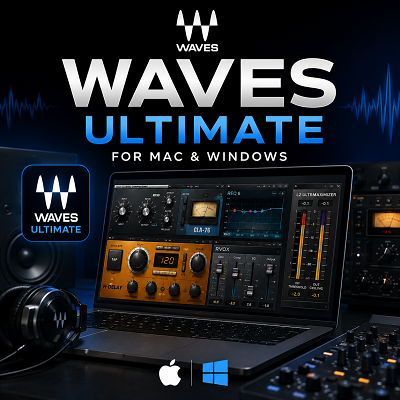
Waves Ultimate is the largest subscription option in the Waves plugin range. It gives me access to more than 240 Waves plugins for mixing, mastering, vocals, restoration, effects, sound design, and music production. The subscription also includes StudioVerse, Waves Stream, premium mixing courses, Online Mastering credits, new subscription products, and two licenses for the subscription owner.
The current listed price is $24.99 per month or $249.99 per year. If I pay monthly for a full year, the total comes to $299.88. The annual plan therefore saves $49.89. Waves also provides a 7-day trial.
- The important question is not how many plugins I get. The important question is how many of those plugins I will actually use.
- Waves Ultimate gives access through Creative Access, not permanent ownership. If the subscription lapses, active access to the collection lapses with it.
- Waves V17 supports Apple Silicon and modern Windows systems in VST3, Audio Units, and AAX.
In my assessment, Waves Ultimate is most useful for producers, composers, editors, and engineers who want a broad collection without purchasing individual plugins one at a time. It becomes less attractive when I only need a small number of Waves products.
Review
A Large Plugin Collection for Different Audio Tasks
The main strength of Waves Ultimate is its range.
I can use the collection for almost every stage of an audio project. It covers EQ, compression, limiting, saturation, reverb, delay, modulation, distortion, vocal processing, restoration, mastering, instruments, and creative effects.
This makes the collection useful for different types of work.
A music producer can use Waves plugins for drums, vocals, synths, guitars, buses, and mastering. A composer can combine instruments and effects during production and then use the mixing processors when the arrangement is complete. An audio editor can focus more heavily on restoration, noise reduction, dynamics, and dialogue processing.
I see this breadth as the strongest reason to consider Ultimate.
I am not paying for a collection designed around one specific task. I am getting access to a much wider audio toolkit.
The Plugin Count Should Not Be the Main Buying Reason
More than 240 plugins sounds impressive, but I would not use that number alone to judge the subscription.
A large plugin collection can be useful when I work across different projects. It can also create unnecessary choices when I already have a small group of processors that I know well.
For example, if I regularly use only one EQ, two compressors, one reverb, one delay, and a limiter, access to hundreds of additional plugins may not improve my workflow.
My approach is to look at actual plugin usage rather than the total number of available products.
If I expect to use a wide range of Waves tools, Ultimate becomes much easier to justify.
If I only want a few specific plugins, I would compare the subscription with perpetual licenses before making a decision.
Waves Ultimate Pricing
Waves currently lists Ultimate at:
- $24.99 per month
- $249.99 per year
- 7-day trial
The monthly option costs $299.88 over twelve months.
The annual option costs $249.99.
That gives the annual plan a calculated saving of $49.89 compared with twelve monthly payments.
The annual plan therefore makes more financial sense when I already know that I will use Waves Ultimate throughout the year.
The monthly plan is more flexible when I only need the collection for a shorter production period.
For example, I may need a large Waves library during an album, film, or major mixing project but have less need for it afterward.
Subscription Access Is Different From Ownership
This is the point I would check before subscribing.
Waves Ultimate gives me access through Creative Access. It does not mean that I permanently own every plugin included in the subscription.
That is different from a perpetual Waves license.
With a perpetual license, I purchase a specific plugin or bundle and retain that license. With Ultimate, my access depends on an active subscription.
This creates two very different buying strategies.
If I want a permanent studio collection, perpetual licenses can make more sense.
If I want broad access to many Waves products without purchasing them individually, Ultimate can be more practical.
I would not treat these two licensing models as interchangeable.
Existing Waves Owners Need to Check Their Accounts
The value of Ultimate changes if I already own a large Waves collection.
Before subscribing, I would check my existing licenses.
Then I would identify the products I use regularly.
Finally, I would list the additional Waves plugins that I expect to need during the next year.
This gives me a much clearer picture of the subscription’s real value.
If I already own many of the products I need, Ultimate may provide less additional value.
If I own very little and need a broad selection, the subscription becomes more attractive.
Two Licenses Make Ultimate More Useful
Waves allows the subscription owner to use two licenses under the applicable licensing terms.
This is useful for a desktop and laptop setup.
For example, I can keep my main production system in the studio and use the second license on a mobile computer.
That is a practical advantage for producers and composers who move between systems.
I would still treat the second license as a personal-use feature rather than a way to share the subscription with another person.
Mac Compatibility
Waves V17 supports Intel and Apple Silicon Mac systems.
Current Waves documentation lists support for macOS Sonoma 14, Sequoia 15, and Tahoe 26. Apple Silicon processors are officially supported.
This is important for modern Mac users because Apple Silicon is now common in production systems.
Waves also states that V14 and later versions provide native Apple Silicon support in VST3, Audio Units, and AAX formats.
For a new Mac system, this removes one of the major concerns that existed during the early Apple Silicon transition.
I would still check the specific plugin and DAW combination before moving an important production system to a new Waves version.
Windows Compatibility
Waves V17 supports 64-bit Windows systems.
The current requirements cover Windows 10 version 22H2 and Windows 11. Waves requires compatible 64-bit Intel or AMD processors.
AMD support starts with Ryzen 3000 Gen2, also known as Zen 2, and newer processors. ARM-based Windows CPUs are not supported.
For a Windows music-production computer, I would therefore use a standard x64 Intel or AMD system.
Hardware Requirements
Waves lists the following general V17 requirements:
- 16 GB RAM
- 30 GB free space on the system drive
- Compatible Mac or Windows operating system
- 1920 x 1080 recommended display resolution
The 30 GB storage figure should not be treated as the maximum space required for every installation.
Some Waves instruments require additional sample libraries. A large installation can therefore require considerably more storage than the basic system requirement suggests.
If I am using a MacBook or Windows laptop with a small SSD, I would leave additional free space instead of planning around the minimum figure.
Plugin Formats and DAW Support
Waves supports the main plugin formats used by modern DAWs.
These include:
- VST3
- Audio Units
- AAX
V17 is 64-bit only.
This gives Waves broad compatibility with popular music-production and post-production software.
The exact DAW version still matters.
I would check the Waves supported-host documentation before upgrading an older project or studio computer, whether that’s Ableton Live, FL Studio, or another host. I would also test important sessions before removing an older plugin version.
That is particularly important when an existing project contains older Waves plugins.
Waves Central Handles Installation and Activation
Waves Central is the main application used for installing, activating, and managing Waves products.
The current Waves Central release is designed for both Mac and Windows.
I can use it to select products, install them, manage licenses, and activate the software.
This is useful when working with a large collection because I do not have to manually install every plugin.
However, I would avoid installing the entire collection simply because it is available.
A smaller installed library can make plugin searches and DAW scans easier.
If I know that I mainly use Waves for vocals and mixing, I would start with those products instead of filling my plugin folder with tools I may never open.
Offline Activation Is Available
Waves also supports offline activation.
I can use Waves Central to activate licenses to a compatible USB drive for computers that are not connected to the internet.
This can be useful in professional environments where the production computer is kept offline.
The USB drive needs to use the appropriate format for the system and Waves’ supported offline workflow.
It is a small feature, but it can be important in dedicated studio and post-production environments.
Apple Silicon Support Is a Major Advantage
For current Mac users, I consider native Apple Silicon support one of the most important technical improvements in recent Waves versions.
Modern M-series Macs provide strong performance for audio production, and Waves V14 and later support native Apple Silicon operation in the major plugin formats.
This means I do not need to choose an Intel Mac simply to run the current Waves collection.
I would still test older sessions before upgrading a complete studio.
A new computer can expose compatibility problems that are not obvious when everything is working on an older system.
CPU Usage Depends on the Plugin
I would not describe Waves Ultimate as either “light” or “heavy” on CPU.
The collection contains too many different types of plugins for a single CPU statement to be useful.
A basic EQ does not behave like a complex restoration processor.
A virtual instrument can also require significantly more resources than a simple dynamics plugin.
Waves documents specific CPU considerations for some newer plugins and certain Windows processor configurations.
My recommendation is to test the actual plugins I expect to use in large sessions, rather than trusting a single CPU-meter reading. Our FL Studio review goes into why a DAW’s CPU meter can look alarming even when the computer itself isn’t close to its limit, and the same buffer-size logic applies whether you’re running Waves plugins there or in Ableton Live.
That gives me a much more useful result than a general CPU claim about the entire Ultimate collection.
The Subscription Makes More Sense for Heavy Users
In my assessment, the strongest case for Ultimate is a broad production workflow.
If I regularly work on vocals, drums, music production, mastering, restoration, sound design, and editing, I can use a much larger portion of the library.
That changes the financial calculation.
Instead of purchasing many separate plugins, I get access to a large collection under one subscription.
This is particularly useful when I do not know exactly which processor I will need for a future project.
A subscription gives me room to experiment without buying every product individually.
Light Users May Be Better With Individual Plugins
The opposite situation is also important.
If I only want a few Waves plugins, I would not automatically choose Ultimate.
Suppose I only need a specific vocal processor, delay, compressor, and EQ.
In that situation, I would compare the price of those individual products with the annual subscription. Before spending anything, though, it’s worth checking whether a free plugin already covers the job. Our free VST plugins roundup and our review of MNTRA’s FLTRS-LE filter both cover free tools that can hold their own against a paid processor for specific tasks.
A smaller perpetual collection can also be easier to manage.
I own only the tools I need, and I do not have to maintain a subscription for products that rarely appear in my sessions.
Licensing Is the Main Issue I Would Check Carefully
The actual plugin technology is not the only factor in the buying decision.
I would pay close attention to licensing.
The difference between subscription access and perpetual ownership affects how I build a long-term studio.
If I stop an Ultimate subscription, I no longer have active subscription access to the Ultimate collection.
That means I would not build a critical long-term session around a subscription without considering what happens if I later cancel it.
For temporary or project-based work, this may not be a problem.
For a permanent studio template, it deserves more thought.
Waves Ultimate Can Be a Flexible Tool for Composers
Composers have a particular reason to consider a broad collection.
A composition workflow can involve instruments, effects, mixing, mastering, sound design, and audio editing.
The same project may require completely different processors at different stages.
Ultimate gives me access to a large selection without forcing me to decide in advance which individual plugins I will eventually need. If you want to test that kind of workflow before paying for anything, MeldaProduction’s MSoundFactoryPlayer is a genuinely free instrument host worth trying first, since it covers the instrument side of that same workflow question.
This flexibility is more valuable to me when my projects change frequently.
If my workflow is highly specialized, a smaller collection may still be better.
My Overall Assessment
I see Waves Ultimate as a breadth-focused subscription.
Its main advantage is not that every plugin is essential.
Its advantage is that I have many options available when a project requires them.
The subscription becomes particularly compelling when I use a large number of Waves products.
The main drawback is equally clear.
If I use only a small number of plugins, I am paying for access to a much larger library than I need.
That is why I would make the decision based on workflow rather than plugin count.
Features
- 240+ Waves plugins in the Ultimate subscription.
- $24.99 monthly price at the current listed rate.
- $249.99 annual price at the current listed rate.
- 7-day trial for evaluating the subscription.
- EQ and dynamics processors for mixing and mastering.
- Compressors and limiters for tracks, buses, and final mixes.
- Vocal processing tools for recording and mixing.
- Noise reduction and restoration tools for audio editing.
- Reverb and delay effects for music production and sound design.
- Modulation and creative effects for experimental processing.
- Saturation and distortion processors for tonal shaping.
- Virtual instruments for production and composition.
- Mastering tools for final-stage processing.
- StudioVerse for processing chains and production workflows.
- Waves Stream for remote audio workflows.
- Premium mixing courses included with the subscription.
- Online Mastering credits included with Ultimate.
- Two licenses for the subscription owner.
- VST3 support for compatible DAWs.
- Audio Units support on compatible Mac systems.
- AAX support for compatible Pro Tools systems.
- Apple Silicon support for modern Mac computers.
- Intel Mac support on supported operating systems.
- Windows 10 and Windows 11 support on compatible systems.
- Waves Central for installation and license management.
- Offline activation support for suitable production environments.
Best Alternatives
Plugin Alliance
Plugin Alliance is one of the closest alternatives if I want a large collection of mixing and studio plugins.
Its range includes compressors, EQs, channel strips, mastering processors, effects, and hardware-inspired tools.
I would consider Plugin Alliance when I want a broad alternative ecosystem instead of building my workflow specifically around Waves.
FabFilter
FabFilter takes a very different approach.
Instead of giving me hundreds of plugins, it focuses on a smaller group of highly refined processors.
Pro-Q, Pro-C, Pro-L, Pro-MB, Pro-DS, and Pro-R can cover a large part of a professional mixing workflow.
I would choose FabFilter if I prefer a smaller plugin folder and want to learn a focused set of tools deeply.
iZotope
iZotope is a strong alternative for mixing, mastering, restoration, and assisted processing.
Its products are particularly useful when I want more guidance during technical audio tasks.
I would consider iZotope when restoration and mastering are important parts of my workflow.
UAD Spark
UAD Spark is another subscription-based option.
It focuses heavily on modeled studio hardware, classic compressors, EQs, preamps, reverbs, and other processors.
I would choose UAD Spark when I want a collection centered around Universal Audio’s hardware-modeling approach.
Arturia FX Collection
Arturia FX Collection is a good choice for producers and composers who want classic effects combined with creative sound-design tools.
I would consider it for electronic music, synth production, cinematic sound design, and experimental processing.
It is also more focused than Waves Ultimate, which can be an advantage when I want fewer choices.
Individual Perpetual Plugins
This is the alternative I would consider most carefully if I only need a small number of Waves products.
Instead of paying for access to the entire Ultimate collection, I can purchase the specific plugins that matter to my workflow.
This approach costs more upfront for some products, but it gives me permanent licenses for the products I purchase.
For a small and stable plugin setup, that can be a better long-term strategy.
Conclusion
Waves Ultimate is a broad plugin subscription designed for producers, composers, editors, and engineers who need access to a large range of audio tools.
The current plan provides more than 240 plugins, with pricing listed at $24.99 per month or $249.99 per year.
The technical side is strong.
Waves V17 supports modern Mac systems, including Apple Silicon, as well as compatible Windows computers. It supports VST3, Audio Units, and AAX formats, with Waves Central handling installation and activation.
The biggest question is value.
I would choose Waves Ultimate when I expect to use a large part of the library across different projects.
I would think twice if I only need a few Waves plugins.
I would also check my existing licenses before subscribing. A producer who already owns many Waves products may get much less additional value from Ultimate than someone starting with a small plugin collection.
For composers and producers with changing workflows, the large library can be genuinely useful. For users who prefer a small, carefully selected collection, FabFilter, individual perpetual plugins, or another focused ecosystem may make more sense.
Choose Waves Ultimate for breadth. Choose individual perpetual plugins for ownership. Choose a smaller alternative when you value a focused workflow over a large collection. The number of plugins is not what determines the value. The number of plugins I actually use does.
Try Waves Ultimate
Start the 7-day trial and test the plugins you’d actually use before committing to a monthly or annual plan.